
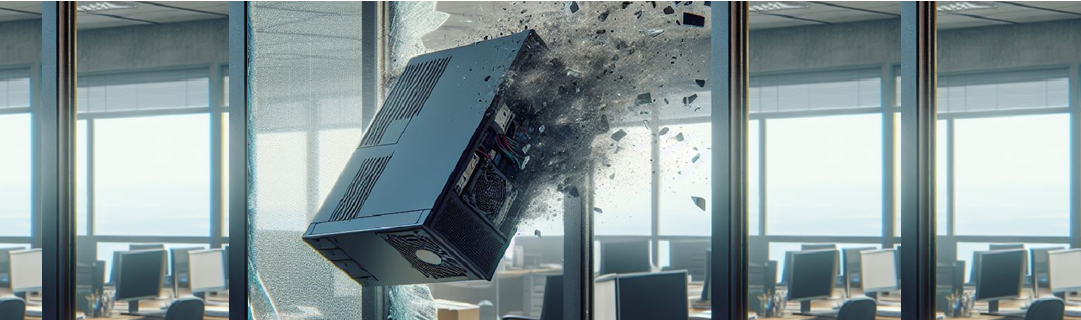
Is Your Slow Computer Driving You Crazy?
Does your slow computer make you want to scream—or worse, throw it out the window? If you’re in the UK, you’re not alone! A recent study by SanDisk found that we collectively waste a significant portion of our lives waiting for sluggish computers to catch up. According to the study, PC and laptop users lose around five and a half days each year due to slow systems, sluggish applications, and files that take forever to load. That’s the equivalent of a mini staycation—except instead of lounging by the pool, we’re stuck staring at loading screens!
The Real Impact of Digital Delays
These digital delays have a ripple effect. Nearly a third of respondents in the SanDisk study admitted that waiting for a slow computer to load puts them in a bad mood for the rest of the day, while 17% take their frustration out on their hardware—whether it’s a gentle thump on the laptop or an intense argument with the mouse.
For businesses, this frustration can have even more severe consequences. Slow systems lead to reduced productivity, employee dissatisfaction, and more frequent visits to the IT department. Over time, this can impact business efficiency, employee morale, and even the bottom line.
The Business Case for Upgrading Technology
Investing in newer, faster systems and technology can make a world of difference. Not only does it improve employee efficiency, but it also boosts productivity and helps companies achieve their goals faster. Plus, happier employees lead to a more positive work environment—and that translates into better business results and great employee satisfaction.
How IPS Can Help
At IPS, we specialize in helping businesses assess their computer needs and provide cost-effective solutions tailored to their budget. Whether you’re dealing with aging hardware or underperforming systems, we’ve got you covered.
Some of the solutions we’ve successfully implemented for our clients include:
- System Refresh: We wipe your computer and install a fresh, up-to-date version of Windows (with a full backup of client files to ensure no data is lost).
- RAM Upgrades: Installing additional RAM can significantly boost your computer’s performance, speeding up both startup and shutdown times, this often extends the life of an older computer.
- Sourcing Refurbished Hardware: We provide reliable, high-quality refurbished computers and laptops. This not only saves money but also helps companies meet their environmental sustainability goals.
Top Computer Maintenance Tips
To help you avoid the dreaded slow-loading screen, here are some practical steps you can take to maintain your computer’s performance:
- Keep Your System Updated: Regularly check for software and hardware updates. Updates often include security patches and performance improvements that can keep your system running smoothly and securely.
- Restart and Streamline: Restart your PC and only run the programs you need. Too many applications running at once can slow down your computer.
- Disable Unnecessary Startup Programs: Some programs launch automatically when you start your computer, even if they’re not essential. Disabling these can reduce your startup time and free up system resources.
- Free Up Space: Delete unused files and applications that take up valuable storage. If you’re running low on space, consider adding an external hard drive or cleaning up large files.
If you’re tired of waiting for your computer to catch up, IPS is here to help. Contact us today to discover how our tailored solutions can boost your productivity and keep your business running smoothly.